The browser strategy field guide
How to play Clockhold
Build your first settlement. Understand your economy. Make the next defense count.
Start a browser strategy run
Clockhold is a free single-player strategy and tower defense game. It runs in a modern browser with JavaScript and an internet connection; there is no game to download. A desktop or laptop with a mouse is recommended.
- Select Play free on the homepage, enter your email, and open the magic link sent to your inbox. No password is needed.
- Choose a nickname the first time you play. Your nickname appears beside your best survival time on the leaderboard.
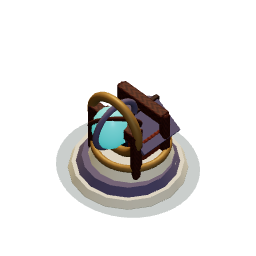
- Start the game from the introduction. You begin with the Timekeeper, a small village, five workers, and two Ballistas protected by walls.
- Protect the Timekeeper for as long as you can. Its destruction ends the run.
Before you begin: the game pauses when you switch tabs or leave the window. Use Pause → Save & exit when you finish a session. Return and choose Continue saved game to restore your latest checkpoint; no time passes while you are away.
Make your first building decision
Your opening outpost already has two Ballistas and protective walls. Your first purchase is a choice between developing the economy and reinforcing that defense. Here is how to place a gathering station when you decide it is time to expand:
Find resources you can reach
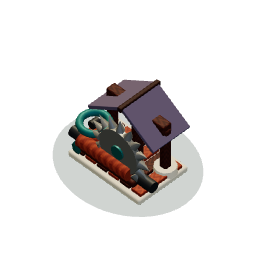
Look for timber or stone near protected ground. A sawmill collects timber; a quarry collects stone. Check your resource counters and the cost shown in the building dock.
Check the site before placing it
Select the building and move its preview over open ground. The gathering area highlights matching resource sites in range. A warning means the proposed station has no matching resources to collect. Choose a valid footprint near the resource you need.
Give workers time to finish
Left-click to place the project. Workers travel to it and construction advances after they arrive. They are assigned automatically; you do not need to select individual workers.
Watch the first deliveries
Once the station is complete, available gatherers walk to deposits and bring material back. Resources are credited on delivery. Inspect the station to check its remaining deposits, and watch whether the route is exposed to attackers.
This explains the building sequence, not a guaranteed winning opening. If your defenses are already under pressure, protecting them may need to come first.
Controls
- Build
- Choose a building in the bottom dock, then left-click a valid location on the hex battlefield. The dock shows its resource cost.
- Inspect
- Left-click an existing building to see its health and available actions. Select a sawmill or quarry to see the resources remaining in its gathering area.
- Move around the map
- Drag open battlefield space while no build tool is selected. Click the minimap to center the view on another area.
- Zoom
- Use the mouse wheel over the battlefield to look closer or see more of the map.
- Pause and save
- Use Pause to stop the whole simulation. Choose Save & exit to preserve a checkpoint before leaving. Resume when you return.
- Freeze or resume combat
- Press the round Timekeeper dial in the upper-right. Its remaining reserve stays visible as you move around the map.
Hover over a building option for a short purpose hint. Keyboard focus and touch selection also reveal those hints. On smaller screens, landscape gives you more room to see the battlefield and dock.

Know what each building does
| Building | Purpose | Placement idea |
|---|---|---|
| Sawmill | Collects timber from nearby forest deposits. | Build near trees, with a safe route for workers. |
| Quarry | Collects stone from nearby stone deposits. | Check the gathering area before choosing a site. |
| Farm | Adds five workers when completed. | Keep it protected; workers can be killed by enemies. |
| Bulwark | A wall that blocks or delays enemies until they break through. | Screen your towers and shape approaches to the village. |
| Ballista | A ranged defense that fires at enemies. | Place behind protection where it can cover an approach. |
| Mortar | An area-damage defense against groups. | Cover areas where attackers cluster. |
| Pulse Orb | A defense that attacks nearby enemies. | Cover close approaches while keeping its building protected. |
Timber and stone deposits are finite. Nearby gathering stations share the same reserves, so another station does not create more resources. Select a station to check what is left before investing further.
Most buildings can be upgraded through three levels. Upgrades cost resources and need workers to arrive and finish construction; the previous level keeps operating in the meantime. Upgrading preserves the building’s health percentage, so damaged defenses still need repairs.
Construction takes worker time, and workers also gather and repair. Repairs happen automatically when workers are available; there is no repair button to search for. Starting many projects can spread the workforce thin. Farms have one level; they do not produce food in the current game.
What should I build next?
Start with the problem you can see. Buying another building is useful only when it addresses the current constraint. Use these checks before spending more timber, stone or worker time.
| What you notice | Check first | What to consider |
|---|---|---|
| Resources arrive slowly | Remaining deposits, worker availability and the distance gatherers walk. | A nearer resource site or additional available workers may help. Another station beside depleted deposits will not. |
| A building barely progresses | Whether workers have arrived and whether other construction, upgrades or repairs occupy the crew. | Let essential projects finish before starting more. A completed farm adds five workers, but building it also takes time. |
| A tower takes direct damage | The approach attackers use, the tower’s wall screen and the available repair crew. | Protect the firepower with walls and coverage. A new tower on the same exposed approach can face the same problem. |
| A wall breaks too quickly | Whether your defenses can attack the enemies while the wall holds them. | Combine durability with damage coverage. A wall buys time; it does not defeat the wave by itself. |
| An upgrade leaves a building damaged | The building’s health percentage and whether workers are repairing it. | Upgrades preserve health percentage. They improve the building’s level, but do not replace repairs. |
| Expansion loses workers | The route between the settlement, project and resource deposits. | Protect worker travel, not only the destination. Workers killed during the run are lost, including carried material. |
If you need a project to finish before another attack, the Timekeeper’s limited combat freeze gives workers breathing room. It does not create resources or restore a depleted deposit.
Build an economy you can defend
Expand your economy with a purpose
Look for reachable timber and stone near your defenses. Early production helps you afford later buildings, but spending everything on the economy leaves little for the next attack.
Protect the defenses you already have
Your starting Ballistas give you an initial defense. Walls and repairs help keep that firepower alive. Level-one towers are fragile, so an exposed weapon can disappear quickly.
Use the terrain to buy time
Mountains and water are impassable. Walls change the available routes, but enemies can decide that breaking a building is faster than walking around it. Combine a useful detour with tower coverage instead of relying on an unbreakable maze.
Freeze before a problem becomes a collapse
Use stopped time to let a needed wall finish or a damaged defense recover. Your workers continue working during the freeze, but you have a limited reserve for the whole run.
Keep your workers alive
Enemies can kill workers permanently during a run. Protect gathering routes and expansion sites. A completed farm adds five workers; if you lose every worker, an unfinished farm can build itself slowly until the first farm restores a crew.
Watch where attackers approach, which defenses take damage and which deposits are running low, then adjust your next purchase.
Give workers time to finish a defense
Every run starts with 30 minutes of stored time. Stopping time freezes enemy spawning, movement, attacks and defensive firing. Workers keep gathering resources, building and repairing automatically. Use the breathing room to complete a defense or recover from damage.
The reserve drains only while time is stopped. Press the dial again to resume; an empty reserve resumes the siege automatically. The first attack on a starting defense, or first contact with the Timekeeper, introduces this ability through a short automatic freeze and lesson.
The reserve is not a 30-minute match timer. Survival time counts the active siege, while stored time pays for freezes. Time spent frozen does not improve your leaderboard score.
Survive longer and improve your record
The siege is endless. Your objective is to keep the Timekeeper standing for as long as possible. The public survival leaderboard ranks each account’s personal best, measured in active siege time.
Only focused, active siege time counts. Timekeeper freezes and time spent in the background do not improve your score. A shorter later run never lowers your best. Playing is single-player; leaderboard competition does not mean other players enter your battlefield.
Your account keeps your nickname and personal best. Reopening the game lets you continue your saved battlefield or start a new run. Sign in with the same email to restore your player on another device. Earlier guest players can continue in their original browser or use their saved private recovery key. Earlier saves made before resumable play remain history only. For other access and device questions, see the Clockhold FAQ.
Put your first plan to the test.
Free browser play · Single-player · No password needed